- C++ 95.8%
- QMake 2.7%
- Shell 1.5%
|
|
||
|---|---|---|
| .gitignore | ||
| control_amd64 | ||
| control_arm64 | ||
| LICENSE | ||
| main.cpp | ||
| mainwindow.cpp | ||
| mainwindow.h | ||
| mainwindow.ui | ||
| makearchpkg.sh | ||
| makedebpkg.sh | ||
| parameterparser.cpp | ||
| parameterparser.h | ||
| passman.cpp | ||
| passman.desktop | ||
| passman.h | ||
| passman.pro | ||
| passman_icon.svg | ||
| PKGBUILD_amd64 | ||
| PKGBUILD_arm64 | ||
| qaesencryption.cpp | ||
| qaesencryption.h | ||
| README.md | ||
| resources.qrc | ||
| screenshot.png | ||



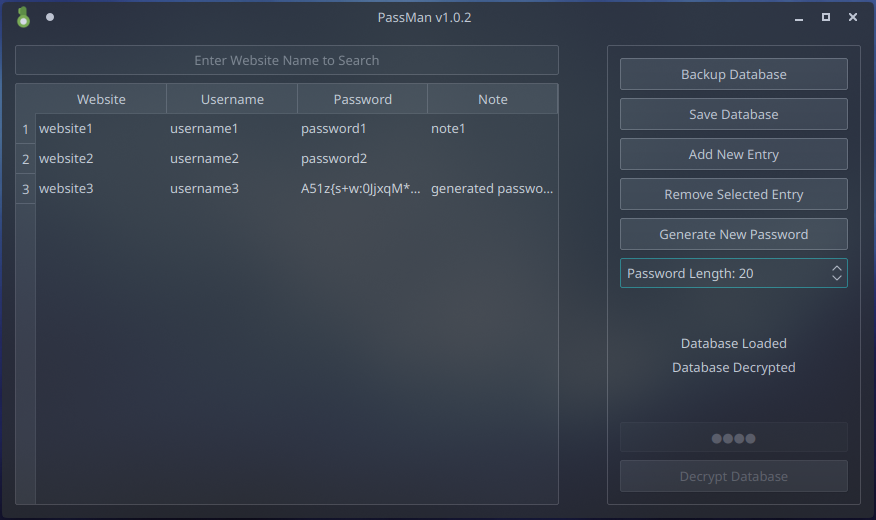
Passman
A Simple Password Manager with AES-256 Encryption
Files qaesencryption.cpp and qaesencryption.h are from This Repo
Version 1.0.4
Installation
Check Releases section
How To Use
Simply Run Program and it'll launch QT GUI
It can also be used within CLI
Type passman --help for list of commands
Running passman without arguments will launch QT GUI
How To Compile and Make Package
Debian Linux:
Run makedebpkg.sh script with parameter {amd64/arm64}
This will make .deb package
Install with dpkg -i passman_debian_{amd64/arm64}.deb
Compilation Example: makedebpkg.sh amd64
Installation Example: sudo dpkg -i passman_debian_amd64.deb
Arch Linux:
Run makearchpkg.sh script with parameter {amd64/arm64}
This will make .tar.xz package
Install with pacman -U passman-{version}-{release}-{x86_64/aarch64}.pkg.tar.xz
Compilation Example: makearchpkg.sh amd64
Installation Example: sudo pacman -U passman-1.0.0-1-x86_64.pkg.tar.xz
Windows:
Use QT Creator
Mac OS:
Use QT Creator